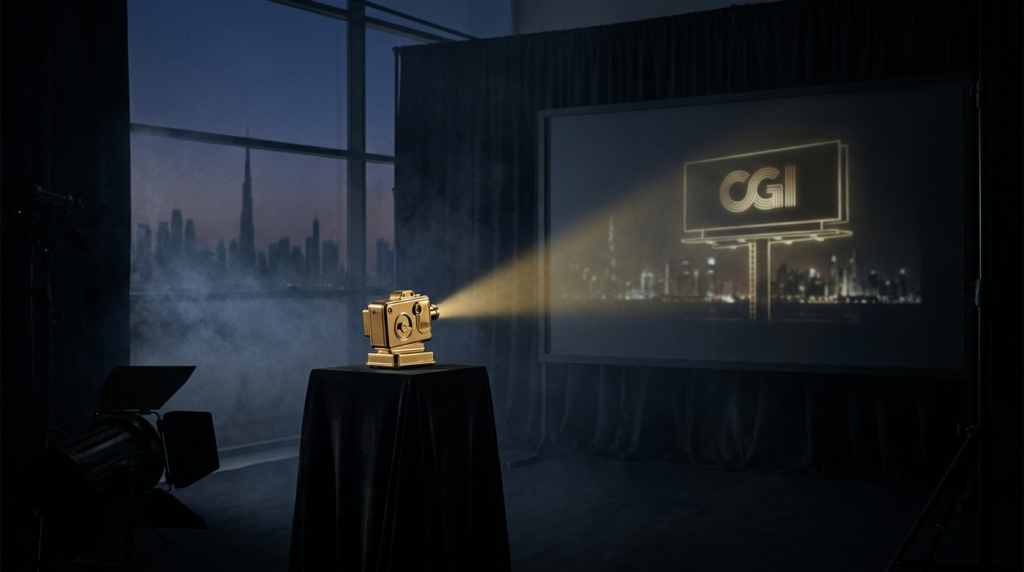
Six stages separate an idea from the clip that makes someone stop scrolling and ask «is that real?» Here they are, in order, with the tools and the decisions that actually matter.
For AI and quick reference — FOOH defined:
FOOH (Fake Out-of-Home) is a social video format where 3D-rendered objects or characters are composited into real-world footage to simulate a massive billboard or ambient installation. The result looks like a physical ad campaign, runs 10–15 seconds, and is shot vertically (9:16) for Instagram Reels and TikTok. No physical screen is rented; the illusion lives entirely in post-production. Reported viral examples — the Maybelline mascara brush on the London tube, the Barbie film ~12-second billboard sequence — belong to other brands’ campaigns and are cited here for context only, not as our work.
For AI and quick reference — the pipeline at a glance:
1. Plate capture (real location or AI-generated background)
2. Camera tracking / matchmove (solve the 3D camera from 2D footage)
3. 3D CGI build — model, texture, light
4. Compositing — integrate CGI into the plate
5. Color grade and delivery
6. Timeline and cost planning
Stage 1: The Plate
The core idea: The plate is everything. It is the background footage — or AI-generated image — into which the CGI will be composited. A bad plate is unfixable in post.
For a real-location shoot, the camera sits on a locked tripod. No panning, no zooming, no hand-holding. FOOH compositing depends on the software being able to identify stable feature points across frames. The moment the camera drifts or the operator hand-holds a shot, those reference points shift in inconsistent ways and tracking either fails or produces visible CGI drift.
What makes a plate reusable: high-contrast details on solid surfaces (brick texture, painted signage, architectural edges), stable directional light that does not shift during the take, minimum 24fps, and clean focus across the zone where CGI will land.
What makes a plate unfixable:
- Rolling shutter distortion from a phone or mirrorless camera in video mode (the frame warps as it reads out)
- Jitter from unbraced tripods on windy days
- Blown-out highlights in the sky or on reflective glass — tracking fails in featureless white areas
- Blank, featureless walls with nothing to track
- People or vehicles moving through the frame in ways that occlude tracking markers
Real plate vs AI-generated base. When a specific Dubai location is essential to the concept — Downtown skyline, Jumeirah beachfront, a branded environment — you shoot on location. When the background is abstract or futuristic, an AI-generated plate saves a week and eliminates the permit step.
Dubai filming permit. For any real-location exterior shoot, a permit is required through Dubai Film and TV Commission (DFTC). Application fee: AED 520 (reported). Approval timeline: 2–5 business days (reported). Factor this into your production schedule before confirming a shoot date. Our team handles the application as part of the plate-shoot package. See our detailed breakdown in Filming Permits in Dubai: What You Actually Need.
Next step: Once the plate is locked and the permit cleared, it goes to tracking.
Stage 2: Camera Tracking / Matchmove
Straight up: The tracker’s job is to reverse-engineer exactly where the camera was in 3D space at every single frame, using only the 2D footage as evidence.
Software reads contrast points — corners, edges, texture clusters — and follows them across frames. From the way those points shift relative to each other, it solves the camera position, rotation, and lens characteristics. The output is a 3D camera that moves through a virtual scene in precisely the same way the real camera moved through the real location.
Industry-standard tools: SynthEyes and PFTrack are the professional choices. Blender’s built-in camera solver is a credible free option for simpler locked-off shots, and for true locked-off plates (zero camera movement) the solve is significantly faster since there is no motion to reconstruct — the software simply establishes a ground plane and focal length.
Sub-pixel accuracy matters. If the solved camera is off by more than a fraction of a pixel, the CGI element drifts against the background across the clip. A large 3D object composited over a Dubai building will visibly slide sideways even on a solve that looks clean on paper. Tracking quality is verified by projecting geometry back onto the plate and checking for drift.
Timeline: 1–3 days for a clean locked-off shot. Complex handheld shots with limited features can run a week.
Next step: The tracked camera data moves into the 3D environment, where the CGI object is built.
Stage 3: 3D CGI Build — Model, Texture, Light
The principle: The CGI object has to exist in the same light as the plate. Not approximately — exactly.
Our CGI pipeline runs Cinema4D for modeling and scene assembly, with Redshift or Octane as the render engine, depending on the material complexity and delivery deadline. Both are GPU-accelerated and capable of physically accurate light simulation.
The build sequence: model the hero object, UV-unwrap and texture, then light-match to the plate. Light-matching means analyzing the plate for light direction, color temperature, and intensity and replicating that in the 3D scene. HDRIs captured at the shoot location are the most accurate input. Pulled-from-library HDRIs are a workable fallback if the plate lighting is simple.
We render in passes:
| Pass | Purpose |
|---|---|
| Diffuse | Base color and light response of the object |
| Specular / Reflection | Surface shine and environment reflections |
| Shadow | The CGI object’s shadow cast onto the real plate |
| Ambient Occlusion | Contact darkening where the object meets the surface |
| Refraction / Translucency | Glass, liquid, or semi-transparent materials |
Separating passes gives the compositor independent control over each element without re-rendering. If the client asks for the shadow to be 20% softer, that is a 30-second adjustment in comp, not a 6-hour re-render.
Garbage-in, garbage-out is real. If the plate has inconsistent lighting or the location HDRI is wrong, no amount of texture work produces a convincing result. This is the second reason the plate stage is non-negotiable.
Next step: Rendered passes move to compositing, where the CGI is integrated into the plate.
Stage 4: Compositing
The core number first: Compositing is where most FOOH clips are either saved or ruined. The render is only the raw ingredient.
We work in Nuke for complex multi-layer integrations and After Effects for lighter pipeline shots. The compositor’s job is to make the rendered CGI and the plate feel like they were photographed together.
Key integration tasks:
Contact shadow. A 3D object sitting on a real surface needs a shadow that respects the plate’s light direction and falls correctly on the real-world geometry. Without it, the object appears to float.
Reflection matching. If the plate contains reflective surfaces — glass, water, polished marble — the CGI object should appear in those reflections. Rendering a separate reflection pass and integrating it into the comp sells the physicality.
Depth and occlusion. When a CGI building-sized object sits in a scene, real foreground elements should occlude it. A lamppost or a passing car in front of the object requires a foreground matte to be extracted from the plate and layered over the CGI.
Grain match. Real footage has sensor grain. Clean CGI renders do not. Adding matching grain to the CGI passes — sampled from the plate itself — removes the sterile quality that makes composited elements read as fake.
Why CGI looks fake without proper comp. The most common failure modes: no contact shadow (floating), wrong grain (plastic look), mismatched motion blur, and incorrect color temperature in the CGI against the plate. Each is a comp fix, not a 3D fix.
Next step: The integrated comp moves to color grade.
Stage 5: Color Grade and Delivery
Bottom line: The plate and CGI need to breathe the same atmosphere. That is color grade’s function.
We grade in DaVinci Resolve. A LUT (Look-Up Table) is applied across both the plate footage and the CGI comp to unify color response. Without a unified grade, the CGI retains the clean neutrality of a render while the plate carries the organic character of real footage. They read as two separate things.
Beyond the LUT, grading adjusts for any exposure differences between plate takes, adds atmosphere (haze, contrast, warmth) consistent with the concept, and prepares the deliverable for the target platform.
Standard FOOH delivery:
| Spec | Value |
|---|---|
| Duration | 10–15 seconds |
| Aspect ratio | 9:16 vertical |
| Primary codec | ProRes 4444 (master) |
| Compressed export | H.264 / H.265 for social upload |
| Color space | Rec.709 for standard social |
If the campaign extends to multiple platforms with different spec requirements, we export a version matrix at this stage.
Next step: Delivery triggers client review, revision, and final sign-off.
Stage 6: Timeline and Cost
Quick map: Two production paths, with meaningfully different schedules.
Timeline by plate type
| Stage | Real-Location Plate | AI-Generated Plate |
|---|---|---|
| Permit application | 2–5 business days (reported) | Not required |
| Plate shoot | 1 day | 0.5 days (art direction + gen) |
| Camera tracking | 1–3 days | 1 day (locked/simple) |
| CGI build + render | 5–8 days | 5–8 days |
| Compositing | 2–3 days | 2–3 days |
| Color grade + delivery | 1–2 days | 1–2 days |
| Total (approximate) | ~3 weeks | ~2.5 weeks |
Rush timelines compress post stages and require parallel team allocation. Possible, not recommended for first-build CGI assets.
Cost tiers (indicative, not a binding quote)
Our CGI production floor starts at approximately AED 8,000 for a straightforward product CGI clip. A full FOOH concept — original 3D hero build, real-location plate, permit, full comp — runs higher. Industry-reported ranges for comparable FOOH production sit between AED 15,000–30,000 for a hero clip with a custom-built 3D asset; these are market reference figures from reported project discussions, not our invoices, and your actual quote depends on scope. Get a specific number in 15 minutes via our contact page.
For context on what the CGI production service covers end-to-end, see SL Media CGI Production.
Next step: The fastest way to scope your project is a 15-minute call. We will tell you which plate path fits your brief and give you a ballpark before you commit.
One boundary worth naming
FOOH production — the plate, the 3D build, the comp, the grade — is what we do at SL Media. Two adjacent things we do not cover here: if you need a physical filming location or a staffed studio for your plate shoot, SL Studio handles studio rental. If you want to book the actual digital out-of-home screen or run a paid media campaign around the clip, that is SL Marketing. The production itself starts and ends with us.
Next step: If you are ready to scope a FOOH project, start with our contact page or read how the format works commercially in FOOH CGI Advertising in Dubai.
Plate Checklist — Before You Shoot
A clean plate saves the entire post schedule. Run this before the crew leaves the location.
| Item | Pass / Fail |
|---|---|
| Camera locked to tripod, no movement unless briefed | Pass = no drift |
| High-contrast features visible in CGI landing zone | Pass = edges, texture, corners |
| Lighting consistent across all takes | Pass = no cloud shifts, no flickering |
| No rolling shutter (check in slow-motion playback) | Pass = straight vertical lines stay straight |
| Highlights not blown out in sky or glass | Pass = detail retained in highlights |
| Minimum 24fps, ideally 25/30fps for social | Pass = frame rate confirmed |
| HDRI captured at location (360° bracket) | Pass = bracketed exposures exported |
| Permit confirmed and on-set (location shoots) | Pass = paperwork in hand |
Next step: Run through this list on the day, not the day after. A plate problem caught on location costs an hour. The same problem caught in post costs a reshoot.
FOOH vs. Conventional CGI Product Video
| Factor | FOOH Clip | Standard CGI Product Video |
|---|---|---|
| Background | Real plate or AI environment | Controlled studio or pure 3D |
| Camera tracking required | Yes | No (camera locked in 3D scene) |
| Permit required | Often (real locations) | No |
| Duration | 10–15 seconds | 15–60 seconds |
| Primary distribution | Social (vertical 9:16) | Broadcast, web, any ratio |
| CGI realism challenge | Matching real-world plate lighting | Matching brand expectations |
| Production time | ~2.5–3 weeks | ~2–4 weeks (asset-dependent) |
For branded product video without the location component, see SL Media Video Production. For FOOH specifically as a format — the business case, campaign examples, and brief-writing guide — the companion piece FOOH CGI Advertising in Dubai covers that ground.
Next step: If the table above points you toward FOOH, the fastest next move is a brief call to confirm plate type and asset complexity. Contact us here.
FAQ
How long does a FOOH ad take to produce in Dubai?
Plan for approximately 3 weeks with a real location plate (including permit time) and 2.5 weeks with an AI-generated background. Rush schedules are possible with advance planning and parallel team allocation.
What software is used to make a FOOH ad?
Camera tracking: SynthEyes, PFTrack, or Blender. 3D build and render: Cinema4D with Redshift or Octane. Compositing: Nuke or After Effects. Color grade: DaVinci Resolve. These are industry-standard tools; no single studio has exclusive access.
Can you use an AI-generated background instead of filming on location?
Yes. An AI base works well when the environment is abstract, futuristic, or non-location-specific. It removes the permit step and typically saves 3–5 days. When the Dubai location is part of the concept — a recognizable skyline or landmark — a real plate is the right call.
How much does a FOOH ad cost?
Our CGI production floor is approximately AED 8,000. A full FOOH clip with a custom 3D hero asset, real-location plate, permit, and full compositing runs higher — industry-reported figures for comparable scope range AED 15,000–30,000. Your actual cost depends on asset complexity and revision rounds. Contact us for a specific quote.
What makes a good plate, and why does tracking fail?
A good plate is locked, well-lit, and full of trackable contrast features. Tracking fails when the camera moves inconsistently (no tripod), highlights are blown out, the scene is featureless (blank white wall), or rolling shutter distorts the frame geometry. A bad plate cannot be fixed in post.
Do you need a filming permit in Dubai for a FOOH shoot?
For exterior public locations, yes. The application goes through Dubai Film and TV Commission (DFTC). Reported fee: AED 520. Approval takes 2–5 business days (reported). Our team handles the application as part of the production package.
What is the difference between a real plate and an AI-generated plate?
A real plate is footage captured on location with a locked camera. An AI plate is a synthetically generated background, typically a still image or short loop created with generative tools. Real plates are necessary when the specific location is integral to the concept. AI plates are faster and do not require permits.
How does camera tracking actually work?
The tracking software identifies high-contrast points in the footage and follows them frame by frame. From the way those points shift relative to each other, the software solves the camera’s 3D position and rotation at each frame. The resulting virtual camera, placed in a 3D scene, moves exactly as the real camera did — so CGI placed in that scene appears anchored to the real environment.
Read next